


10G TECHNOLOGY
Dual Channel Wi-Fi™
Developed by CableLabs, Dual Channel Wi-Fi delivers an efficient and more reliable connection.
Shifting Wi-Fi into a new gear
A vast majority of Americans use their home Wi-Fi as the primary method of connecting multiple devices to the internet. This overload often impacts performance and results in the dreaded customer service call. Dual Channel Wi-Fi helps alleviate Wi-Fi congestion by allocating a secondary channel dedicated to the downstream data of selected applications, improving both overall Wi-Fi performance and customer satisfaction.
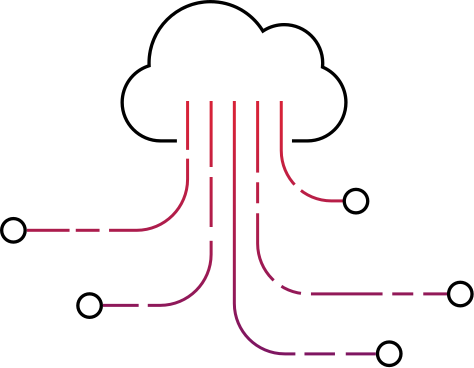
How Dual Channel Wi-Fi works
Wi-Fi users currently only have access to one channel at a time. Because that one channel is both for sending and receiving, devices often have to wait. This can result in buffering, frame freezing, pixilation and other frustrating side effects. Dual Channel Wi-Fi solves this issue by adding one or more data channels. The primary channel is used for upstream and small downstream data packets, and the others are used for large downstream and time-critical data, like video. A Traffic Filter Profile triages the data based on packet size, source IP, source port, destination port and protocol type and sends data to the appropriate channel, thus significantly easing congestion.

Better Wi-Fi is better for everyone

A success story
A part of our mission at CableLabs is facilitating collaboration for the benefit of the entire cable industry. CableLabs worked with Edgewater Wireless, a participant in the inaugural cohort of UpRamp Fiterator, to develop a dual channel implementation for OpenWrt platforms. Additionally, CableLabs developed the code for RDK-B and RDK-V platforms.
To keep up to date with code releases, request implementation assistance for your devices or participate as a lighthouse partner, please contact Luther Smith.

Implementation Guidelines
Accessible through GitHub, the implementation guidelines provide instructions for implementing code to access point and client applications. To access all Dual Channel Wi-Fi code on Github, contact us to be added to the private GitHub team repository.



RDK-B
This document describes how to integrate and use the Dual Channel Wi-Fi (DCW) feature on the Arris XB3 device for RDK-B. In addition to the integration steps, a complete user manual and troubleshooting guide are included.

OpenWrt by Edgewater Wireless
This document describes how to integrate and use the Dual Channel Wi-Fi (DCW) feature on hardware using the OpenWrt software distribution on a hardware device running a Linux kernel. In addition to the integration steps, a complete user manual and troubleshooting guide are included.
RDK-V
This document describes how to integrate and use the Dual Channel Wi-Fi (DCW) feature on the Pace Xi5 RDK-V set-top box (STB). In addition to the integration steps, a basic user manual and troubleshooting guide are included

Windows 10
This document describes how to build and use the Dual Channel Wi-Fi (DCW) feature on PCs running the Windows operating system. In addition to the integration steps, a basic user manual and troubleshooting guide are included.

MAC OSX
This document describes how to build and use the Dual Channel Wi-Fi (DCW) feature on devices running the OSX platform. In addition to the integration steps, a basic user manual and troubleshooting guide are included.

Linux
This document describes how to build and use the Dual Channel Wi-Fi (DCW) feature on devices running the Linux operating system. In addition to the integration steps, a basic user manual and troubleshooting guide are included.
Use Cases
Related Resources

Document
Download the Dual Channel Wi-Fi 2-pager – Technical Summary

Specification
View the Dual Channel Wi-Fi Specification
Document
Download the Dual Channel Wi-Fi™ Performance Test Report, August 2019